Investments
Each Investment represents an asset they is owned by an entity. Each Investment can be defined by grouping codes for reporting as well as its type and currency.
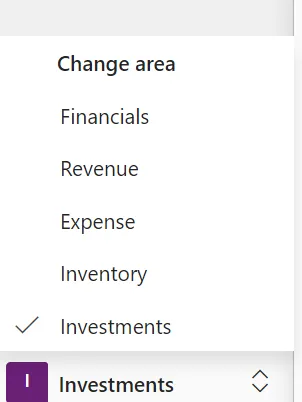
The Investment subledger is selected from the Area selector in the lower left corner
Summary
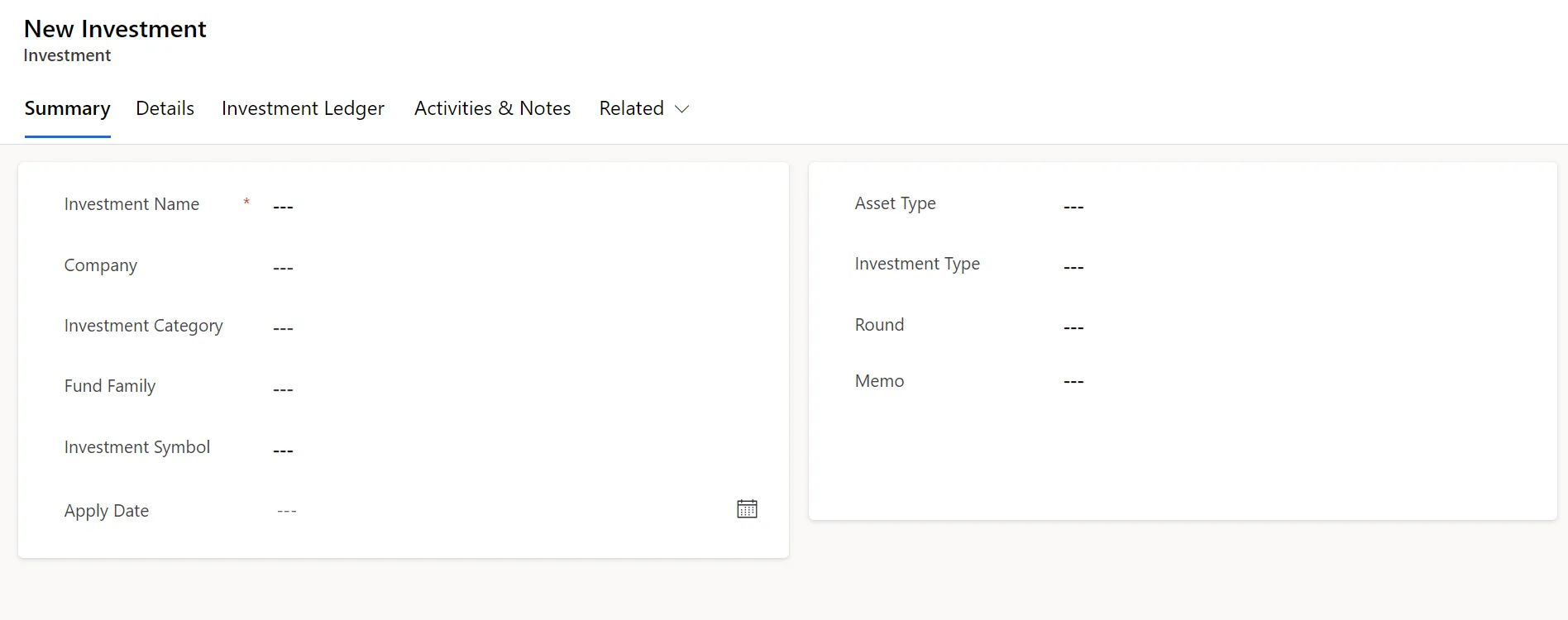
Investment Name
Enter the Investment Name
Company/Investment Category/Fund Family
Optionally select grouping fields to assist in the reporting and analysis of investments.
Investment Symbol
Optional for a public investment symbol
Apply Date
Represent the date of the initial acquisition of the asset.
Asset Type
Optionally select the major category of the investment
Investment Type
Optionally assign and an investment sub-type
Round
Optionally enter information to define the investment round
Memo
Optionally enter notational information
Totals
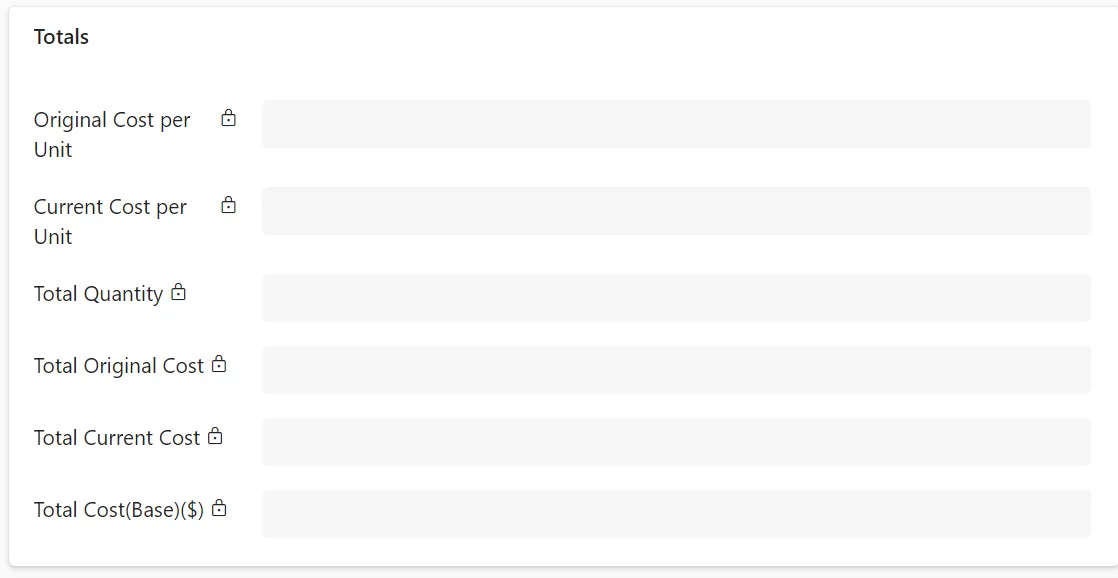
Totals are system generated values that note the original and current costs and quantities. The values are set and accumulated from the investment activities that are recorded.
Currency
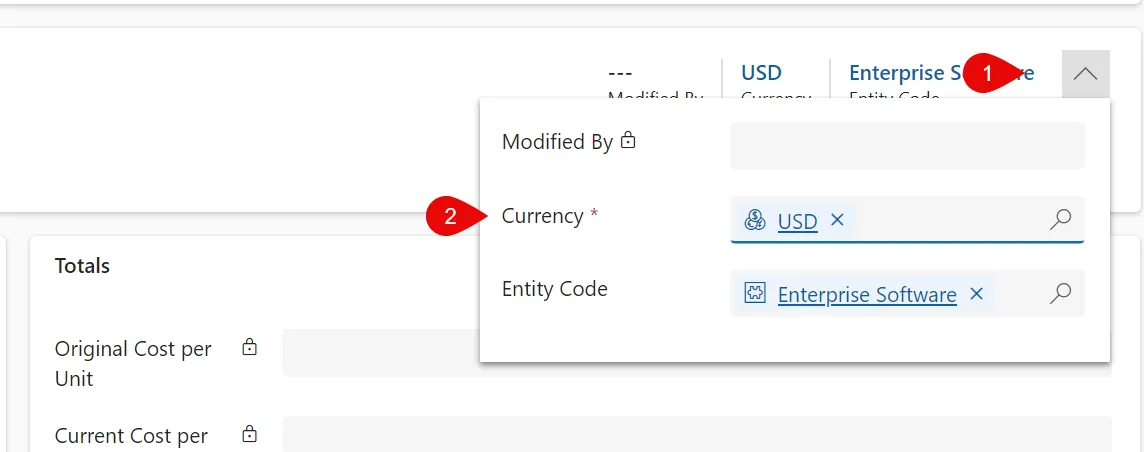
Enter the currency of the investment by selecting the drop down icon in the upper right corner. The original Exchange rate will be defined based on the Apply Date listed and the FX rates in the Gravity exchange rate table.
Details
Valuation Details
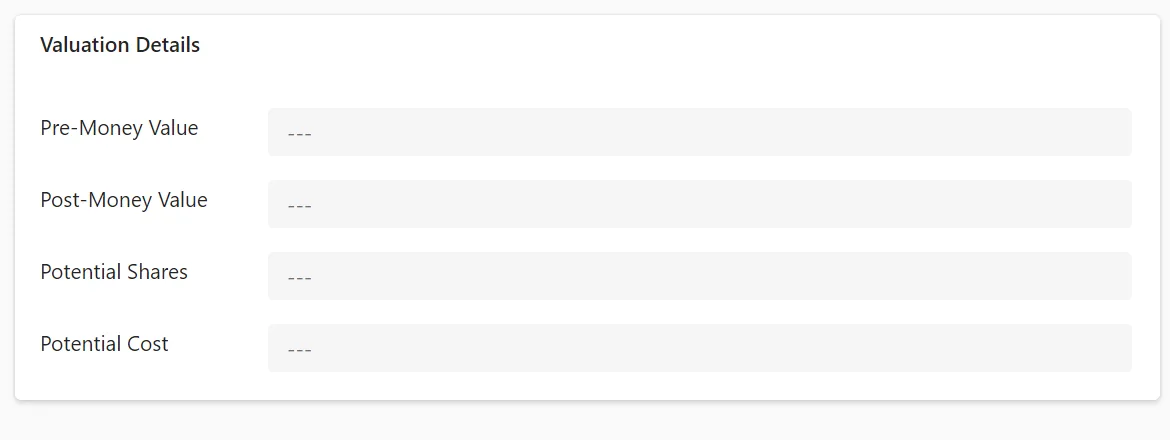
Optionally enter values related to investment.
Accounts
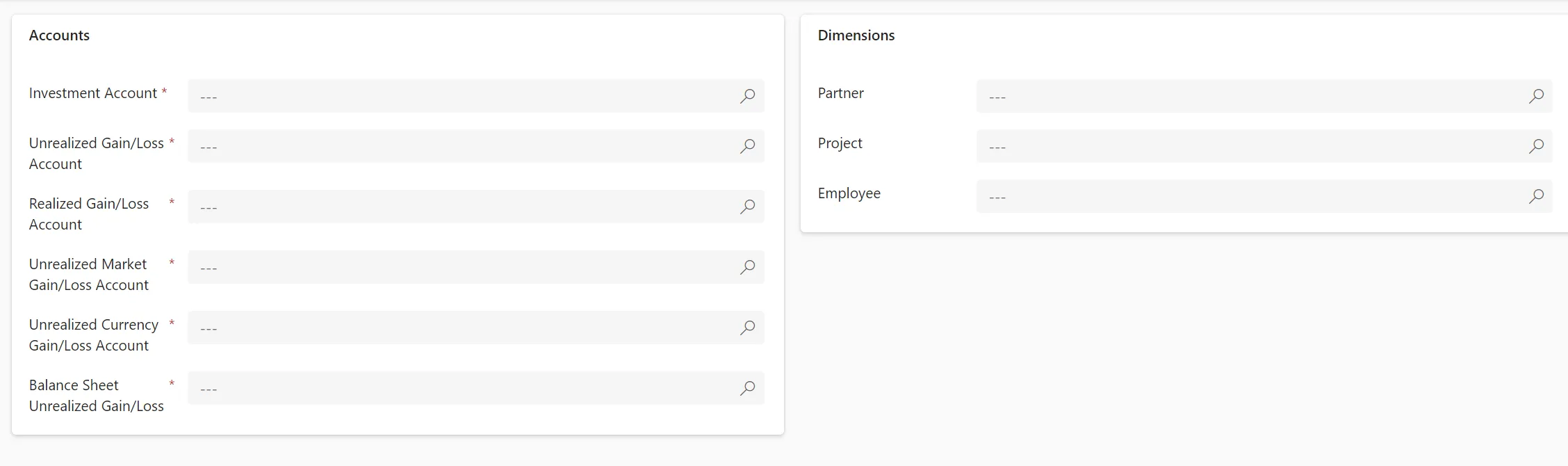
Enter the General Ledger accounts and dimensions used when journal entries are made from investment activities. Note that there are 2 Unrealized Gain/Loss accounts so that the value may be separately recorded on the Balance Sheet if needed.
Investment Ledger
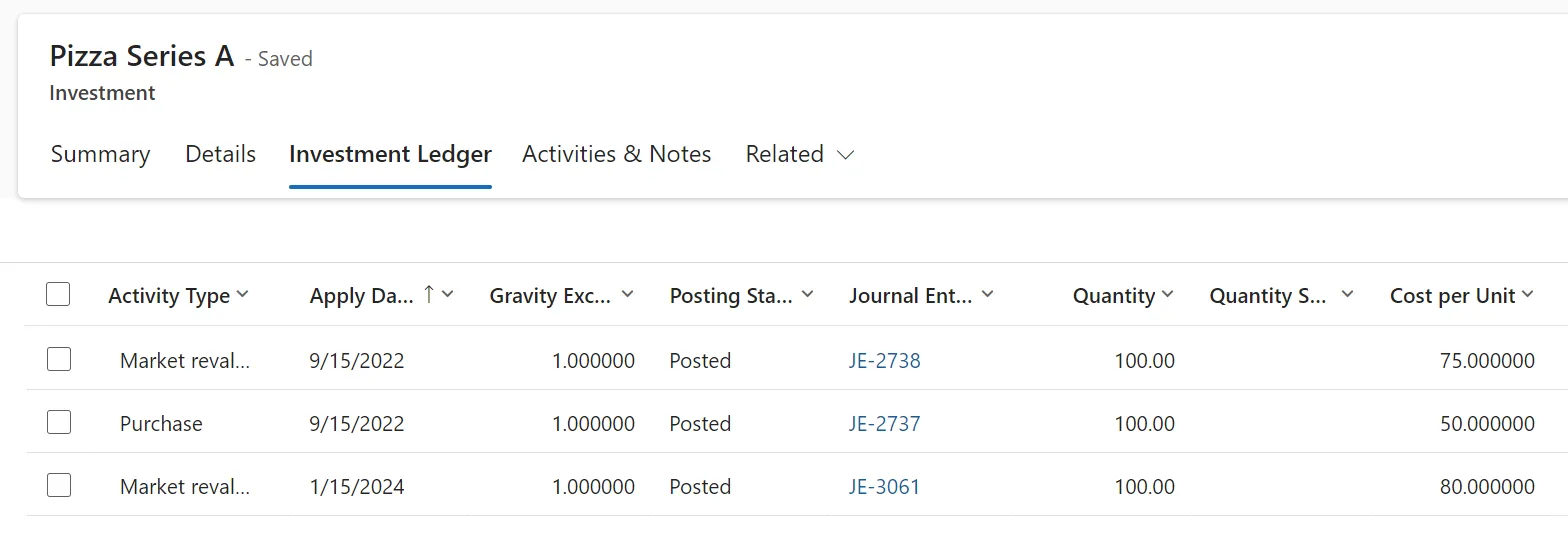
The Investment Ledger shows the individual investment transactions that have been recorded. See Investment Activities.