Inter-Entity Billing
Gravity supports the ability for one entity to create an invoice to another entity with a voucher automatically created on the receiving entity. This function is helpful when a complete invoice and voucher document trail is needed and the transactions need to run through the accounts receivable and payable accounts.
Process Steps
- Set inter-entity billing to "yes" in entity configuration.
- Set the automatic vendor creation option.
- Create an inter-entity billing template.
- Set customer options.
- Create and post invoices.
- Review and post vouchers created.
Setup Details
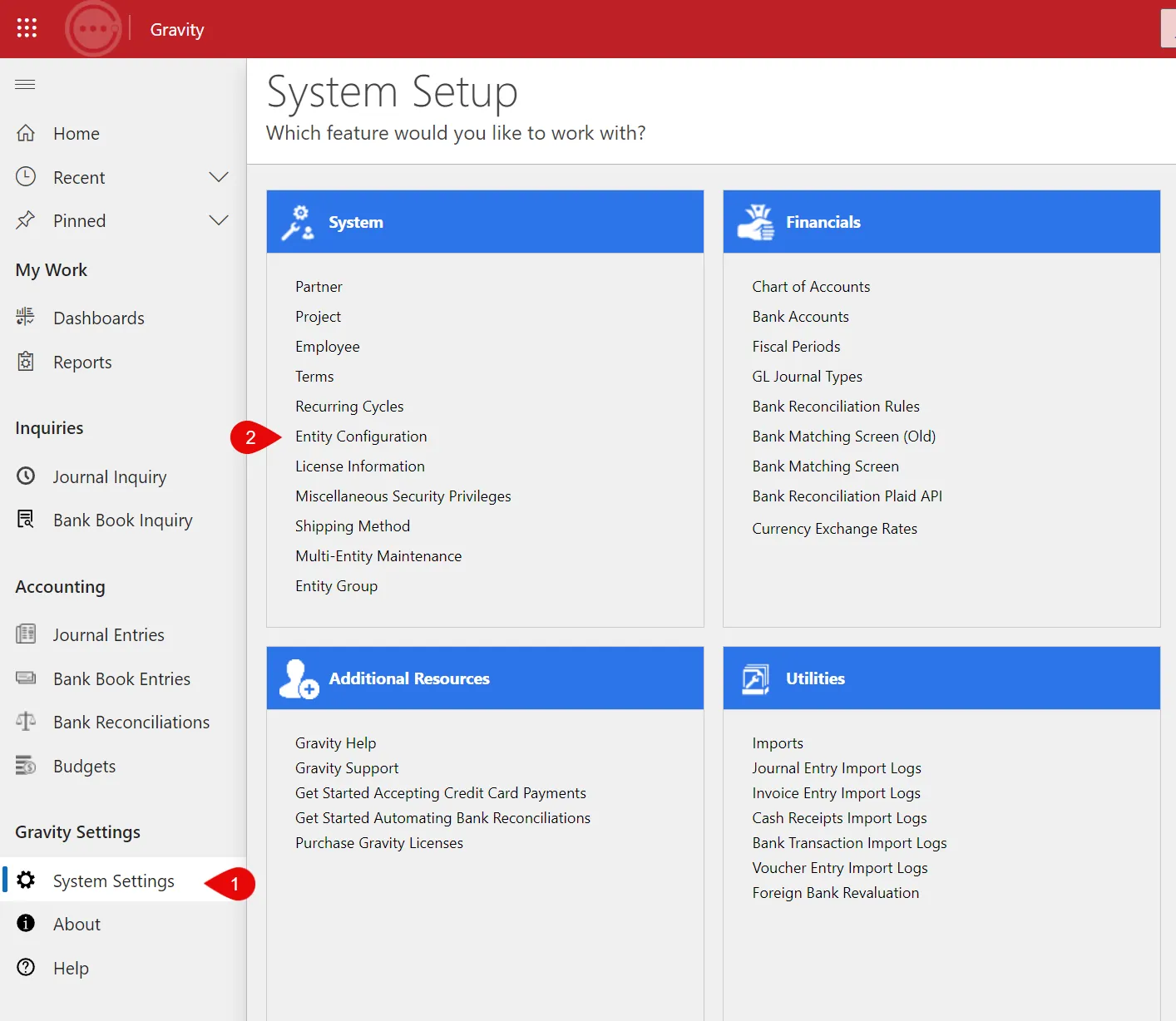
Access inter-entity billing functionality using system set up>system>entity configuration
Select entity configuration for the applicable entity. Enable inter-entity billing in the entity configuration features section.
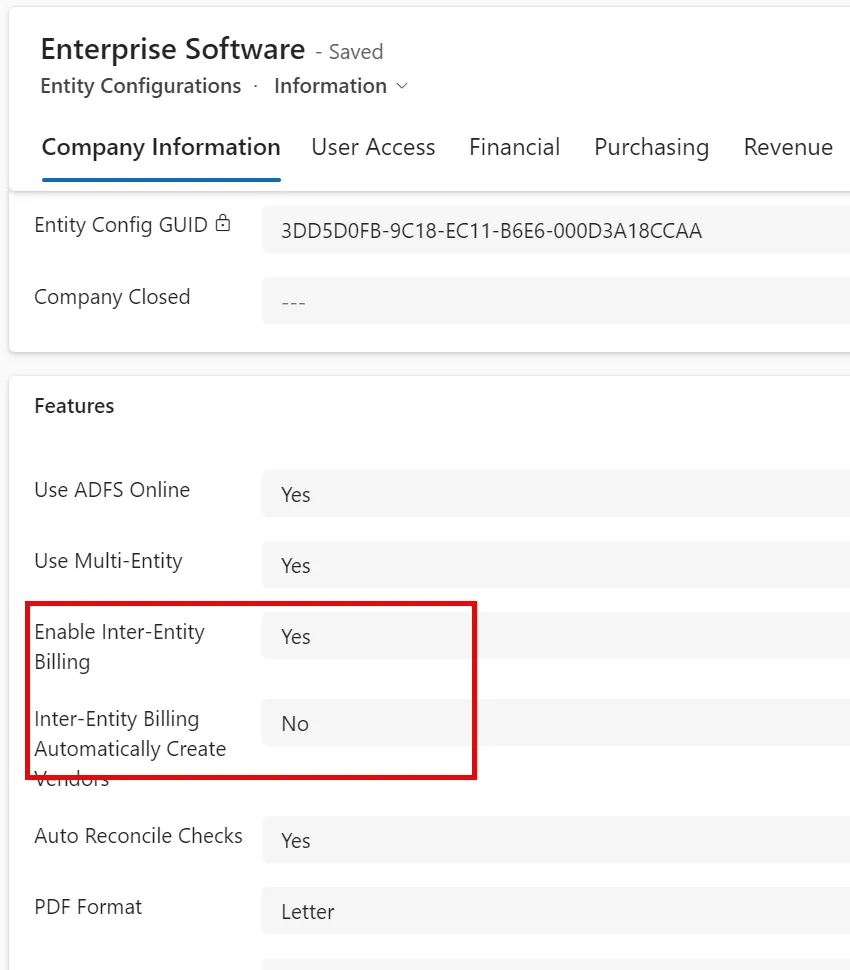
Note: the option to have a vendor automatically created when the first inter-entity invoice is posted. If this option is set to "off" a vendor needs to be identified when the customer is enabled.
Inter-Entity Billing Template
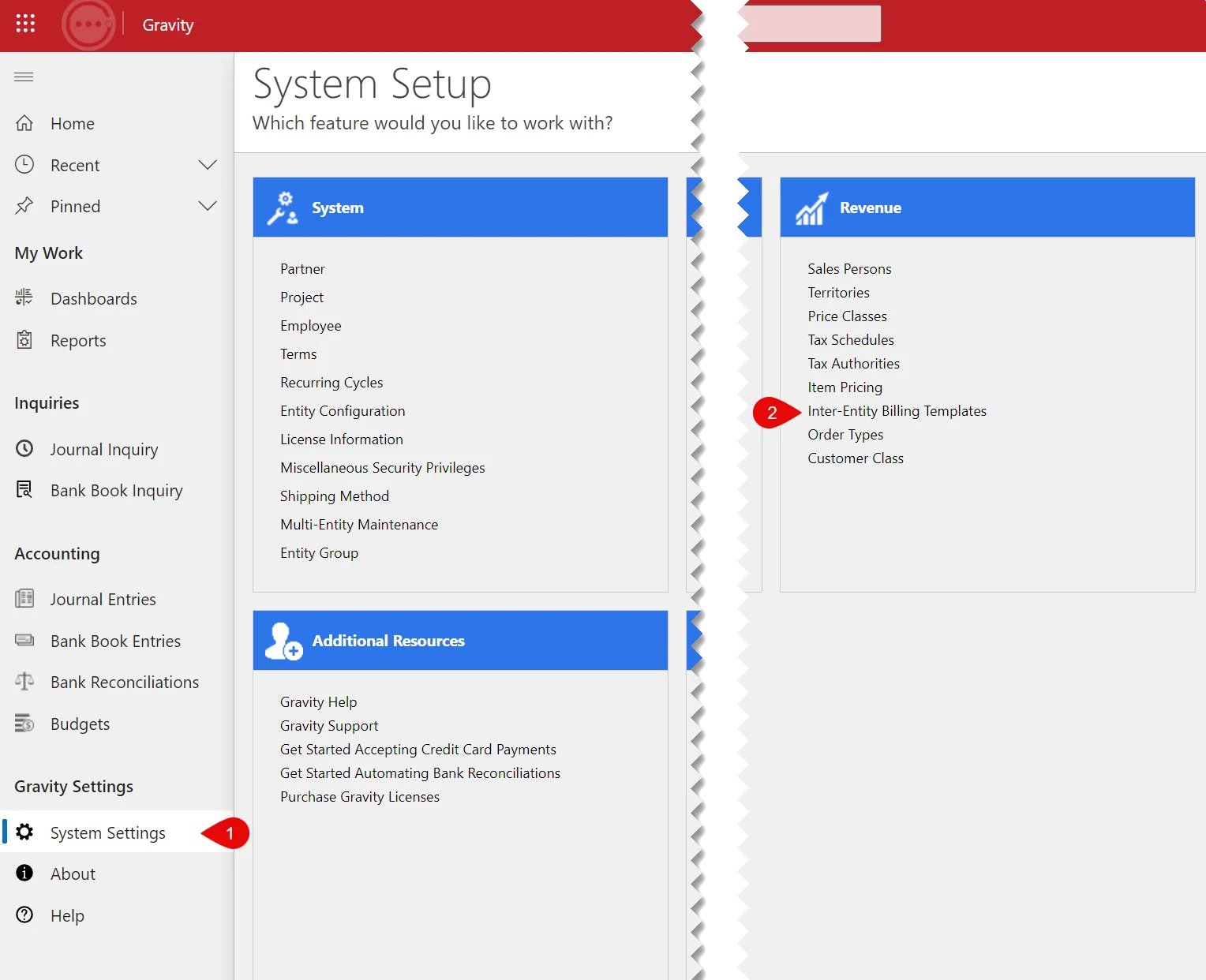
Access the inter-entity billing template:
Systems settings> revenue options
The inter-entity billing template translates accounts and amounts from an invoice created by the "from" entity to the voucher created in the "to" entity.
For example, if the "from" entity is invoicing for rent income (account 4100) and IT services, the "to" entity records rent expense, account 6320 and data processing expense 6140.
Summary
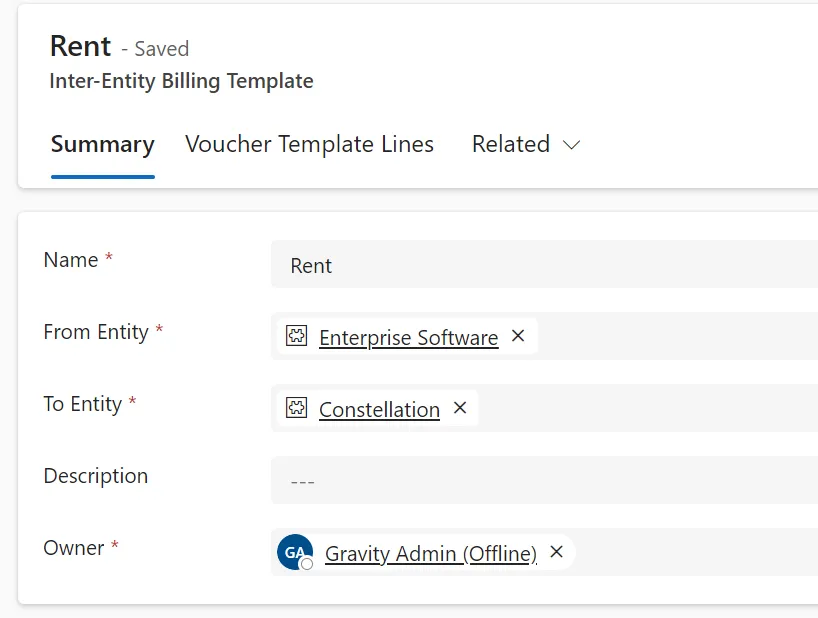
Use the from and to entities to select the accounts validated on the template lines.
Voucher Template Lines
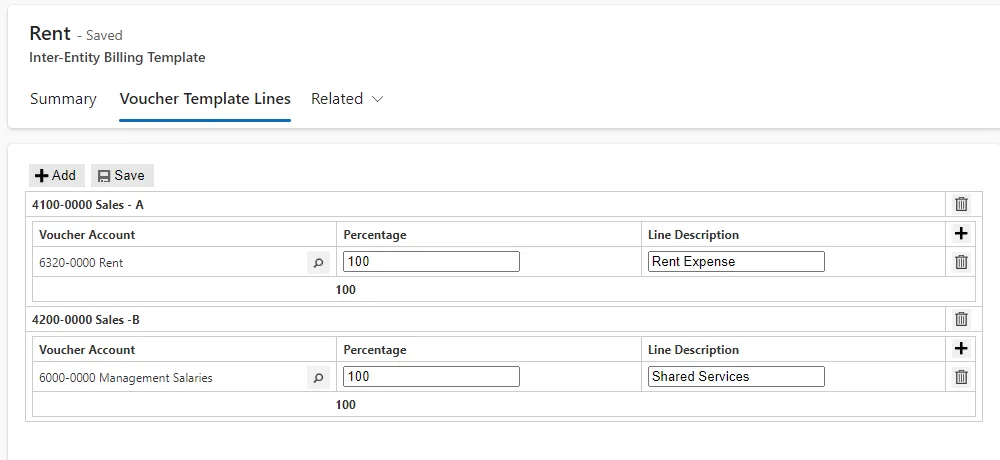
The voucher template lines translate invoice income lines to voucher expense lines.
Use the add option to create another template lines group. Each group is registered to a single income account. More than one group is supported.
- Identify the account to be used when invoices are created for a specific customer.
- Identify the accounts to be used in creating the voucher lines.
- Identify more than one expense (voucher) line to be created and the percentage allocated to each line.
- Set a description to be used when voucher lines are created. Use the line add option to add additional lines.
Inter-Entity Customer Options
Create a customer for each entity billed.
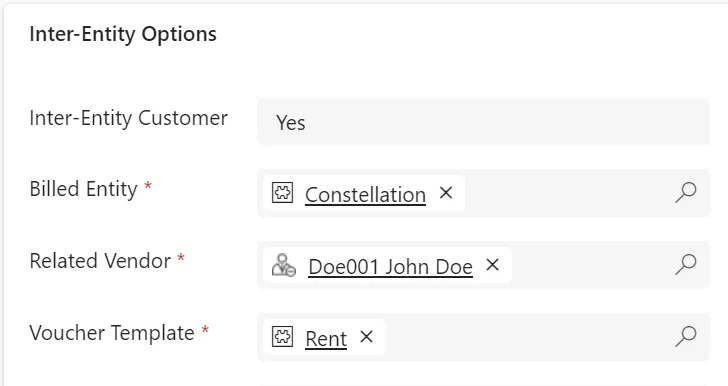
- Identify the customer as related to inter-entity billing.
- Select the entity to be billed.
- Select the vendor to be used in creating the voucher.
- Note: If the automatic vendor creation option is enabled, there will not be a vendor selection.
- Select the template to use.
- Enter the authorizing client ID
Transaction Processing
There are no changes in the invoice transaction processing routines.
When an invoice is created to an inter-entity customer, with an income account identified in the template, a corresponding voucher is created in the receiving entity.
The created voucher is not posted so it can be reviewed. The voucher is assigned an "Inter-Entity" code so it can be easily identified.